How AI Helps Technical Writers Create the Documentation They Never Had Time to Write
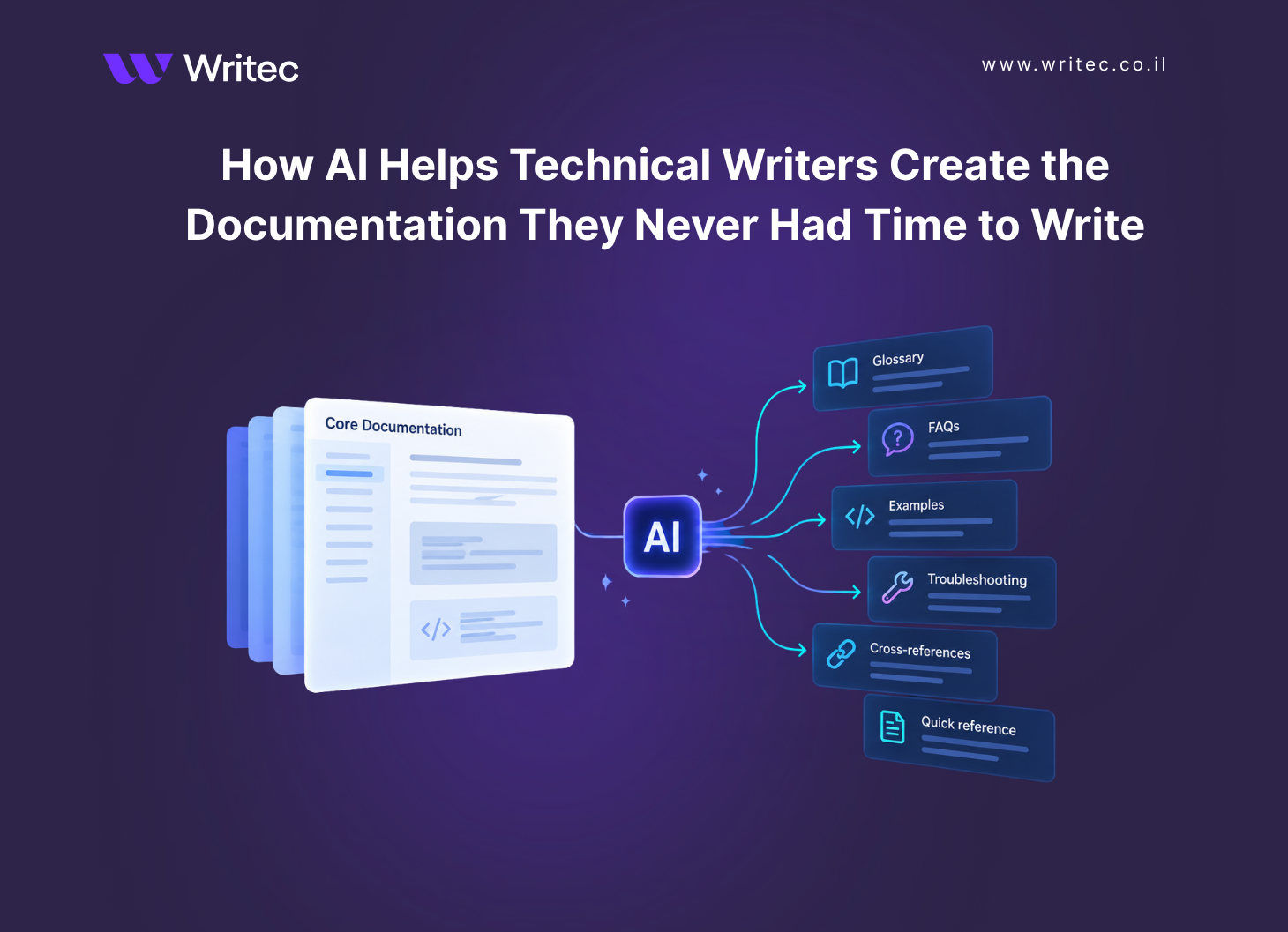
We recently launched a documentation website that included a getting started guide, a full user guide, more than 40 integration guides, and much more. By the end of the project, we had documented the core product and its most important workflows. But for the first time, we also had the opportunity to add the things that had always been pushed down the backlog: a comprehensive glossary, detailed FAQs, additional examples, troubleshooting tips, better cross-references, quick-reference sections, and other resources that make documentation easier to use.
With AI, we finally had time to tackle the things that usually get pushed to "never." The glossary? Maybe next sprint. The FAQs? When there’s time. The additional examples? Eventually.
One of the most practical uses of AI for technical writers is not replacing the writing we already do. It is helping us create the documentation elements we have always wanted to add, but simply did not have the time to produce.
AI is particularly good at this kind of work because it can analyze large amounts of existing content, identify patterns, extract information, and generate a first draft of material that a technical writer can then review.
Here are a few places where that can make a significant difference.
1. Finally create that glossary
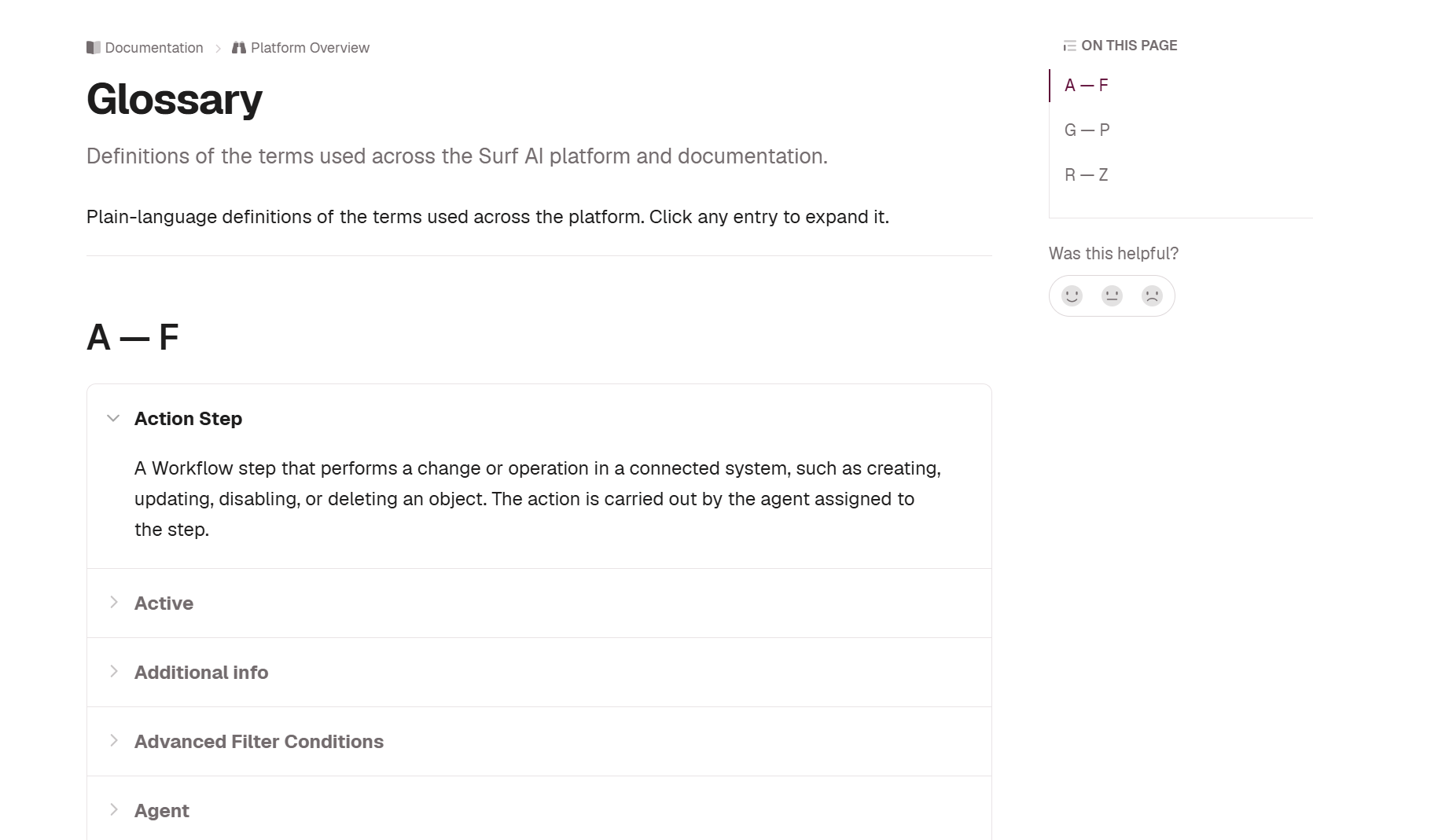
A glossary is a perfect example.
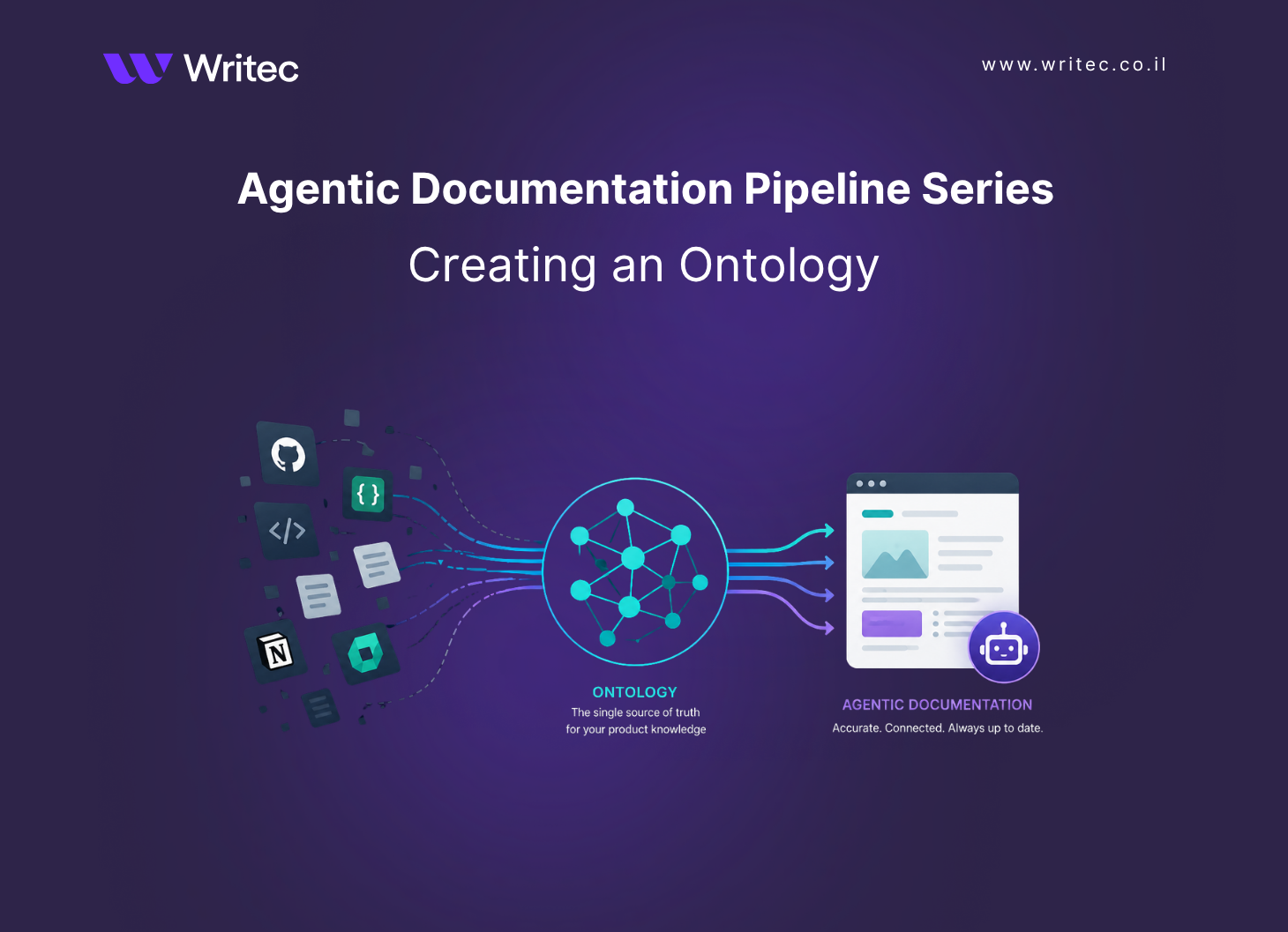
But creating a useful glossary starts before you ask AI to generate definitions. To create great documentation with AI, you first need to establish a good ontology: a clear model of the concepts in your product, how they relate to one another, and which terms you use to describe them. In a previous post, I explained how to build an ontology for your documentation.
An ontology gives AI the context it needs to distinguish between related concepts, recognize when different terms refer to the same thing, and identify terminology that should be standardized. It also gives technical writers a framework for evaluating the AI’s suggestions.
In a complex product, creating a glossary manually means going through hundreds of pages, identifying product terminology, deciding which terms actually need definitions, finding the best existing explanation, and making sure the terminology is consistent.
It is valuable work. It is also very easy to postpone.
With a well-defined ontology, you can provide your documentation corpus and ask AI to identify:
Product-specific terminology and the concepts they represent
Acronyms and abbreviations
Technical concepts that appear frequently
Terms that may be unfamiliar to new users
Terms that appear to be used inconsistently
Concepts that have multiple names or overlapping definitions
The AI can then propose definitions based on the existing documentation and map each term to the relevant concept in your ontology. The technical writer still needs to decide which terms belong in the glossary, verify every definition, and resolve any inconsistencies. But instead of starting with a blank page, you start with a structured candidate list grounded in a shared model of the product. That changes the task from creating a glossary to editing a glossary.
2. Add more examples
Examples are another casualty of tight schedules. We document what a parameter does, but do not always have time to show three different ways to use it. We explain the configuration, but skip the real-world scenario. We document an API endpoint, but provide only the most basic request. AI can help turn existing explanations into useful examples.
For example, given a configuration procedure, AI can suggest:
A basic configuration
A more advanced configuration
A common real-world scenario
An example using typical values
An example demonstrating how two related features work together
Examples involving code, APIs, commands, configuration values, or product behavior must still be validated. AI can dramatically reduce the effort required to create the first draft, but technical accuracy remains the writer's responsibility.
3. Build FAQs from existing content
Most documentation already contains the answers to many frequently asked questions. The problem is that users do not necessarily know where to look. AI can analyze documentation, support tickets, customer questions, release notes, or internal Slack conversations and identify recurring questions such as:
What happens if I disable this setting?
Can I change this configuration later?
What permissions are required?
Why am I seeing this error?
What is the difference between these two options?
A technical writer can turn those questions into a focused FAQ and link each answer back to the relevant documentation. The information may already exist. AI helps package it in another form that better matches the way users actually search for help.
4. Improve troubleshooting content
Troubleshooting documentation is extremely useful and notoriously difficult to maintain. Issues are often solved in support tickets, engineering conversations, or customer Slack channels without ever making their way back into the documentation. AI can help identify repeated problem patterns and turn them into candidate troubleshooting entries. For example, AI can analyze resolved support cases and identify recurring combinations of symptoms, causes, and solutions. If the same integration error has been resolved twenty times, that is a strong signal that the solution may belong in the documentation. Once again, this requires careful human review. Support conversations may include outdated solutions, customer-specific configurations, or assumptions that should not become official documentation. But AI can help surface knowledge that would otherwise remain hidden in thousands of conversations.
5. Find missing links between pages
As documentation grows, multiple related pages may contain useful information about each other without linking between them. Finding those relationships manually requires someone who understands both the product and the documentation architecture.
AI can assist by analyzing the documentation set and suggesting:
Related topics
Pages that should link to each other
Concepts that are introduced without explanation
Procedures that depend on another configuration step
Duplicate or overlapping information
This can make documentation feel less like a collection of pages and more like a connected knowledge system. And that becomes even more important as documentation is increasingly consumed not only by humans, but also by AI agents.
What is still sitting in your documentation backlog?
AI is often presented as a way for technical writers to produce documentation faster. The bigger opportunity is to ask what we can now create that we previously had to leave out. AI can do much of the heavy lifting required to identify and draft these additions. Technical writers still provide the product knowledge, editorial judgment, and validation that turn them into reliable documentation. For the first time, the question may not be, "Do we have time to add this?"